Globe & Images
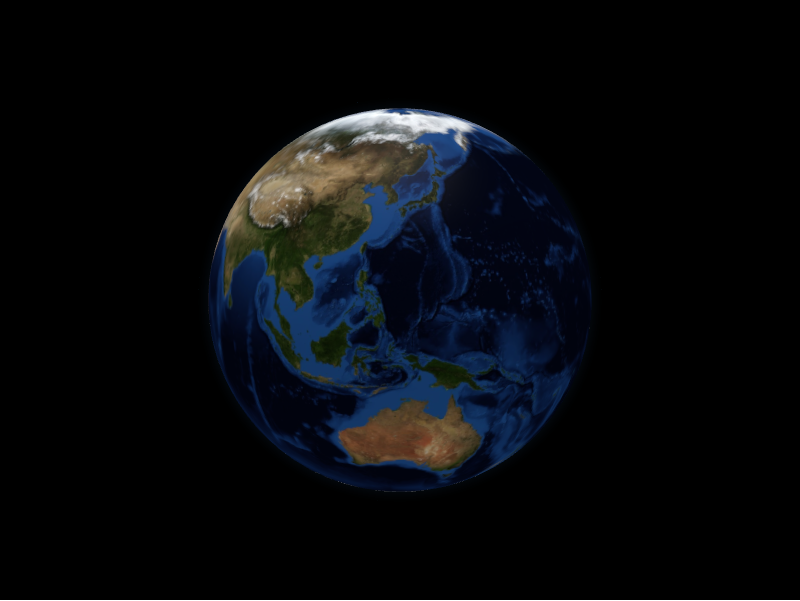
GlobeConfig is the top-level configuration container passed to GlobeWidget.
It groups initialisation, layout, camera, and the globe layer alongside every
data layer, so a single object describes the whole scene.
from pyglobegl import (
    GlobeConfig,
    GlobeInitConfig,
    GlobeLayerConfig,
    GlobeLayoutConfig,
    GlobeViewConfig,
    GlobeWidget,
    PointOfView,
)

config = GlobeConfig(
    init=GlobeInitConfig(wait_for_globe_ready=True, animate_in=True),
    layout=GlobeLayoutConfig(width=800, height=600, background_color="#000010"),
    globe=GlobeLayerConfig(
        globe_image_url="https://cdn.jsdelivr.net/npm/three-globe/example/img/earth-day.jpg",
        bump_image_url="https://cdn.jsdelivr.net/npm/three-globe/example/img/earth-topology.png",
        show_atmosphere=True,
        atmosphere_color="lightskyblue",
    ),
    view=GlobeViewConfig(
        point_of_view=PointOfView(lat=20, lng=0, altitude=2.0),
        controls_auto_rotate=True,
    ),
)

display(GlobeWidget(config=config))
The globe layer
GlobeLayerConfig controls the sphere itself. Common fields:
| Field | Purpose |
|---|---|
globe_image_url |
Surface texture (equirectangular image URL). |
bump_image_url |
Bump/topology map for relief shading. |
globe_tile_engine_url |
Slippy-map tile source instead of a single texture. |
show_globe |
Toggle the globe sphere. |
show_graticules |
Overlay the lat/lng graticule grid. |
show_atmosphere / atmosphere_color / atmosphere_altitude |
Atmospheric glow. |
globe_curvature_resolution |
Tessellation detail of the sphere. |
Layout, camera, and initialisation
GlobeLayoutConfig—width,height,globe_offset,background_color, andbackground_image_urlfor the container and scene backdrop.GlobeViewConfig—point_of_view(aPointOfViewwithlat,lng,altitude),transition_ms, andcontrols_auto_rotate/controls_auto_rotate_speedfor the camera.GlobeInitConfig—renderer_config,wait_for_globe_ready, andanimate_infor one-time setup of the renderer.
Image inputs
Image fields expect URLs, but you can pass a local
PIL image by converting it to a PNG data URL
with image_to_data_url:
from PIL import Image

from pyglobegl import GlobeLayerConfig, image_to_data_url

image = Image.open("earth.png")
config = GlobeLayerConfig(globe_image_url=image_to_data_url(image))
Offline-friendly textures
Data URLs embed the image directly, so they work without a network round-trip — handy for self-contained notebooks or offline demos.
See the upstream globe.gl documentation for the full set of globe options.