pyglobegl
An anywidget wrapper for globe.gl
pyglobegl wraps globe.gl as an
anywidget, so you can render interactive
WebGL globes in modern notebook environments — Jupyter, JupyterLab, Colab,
VS Code, and marimo — and drive them from a friendly, strongly typed Python
API. It ships a prebuilt JupyterLab extension, so pip install is all you need.
-
Twelve typed layers
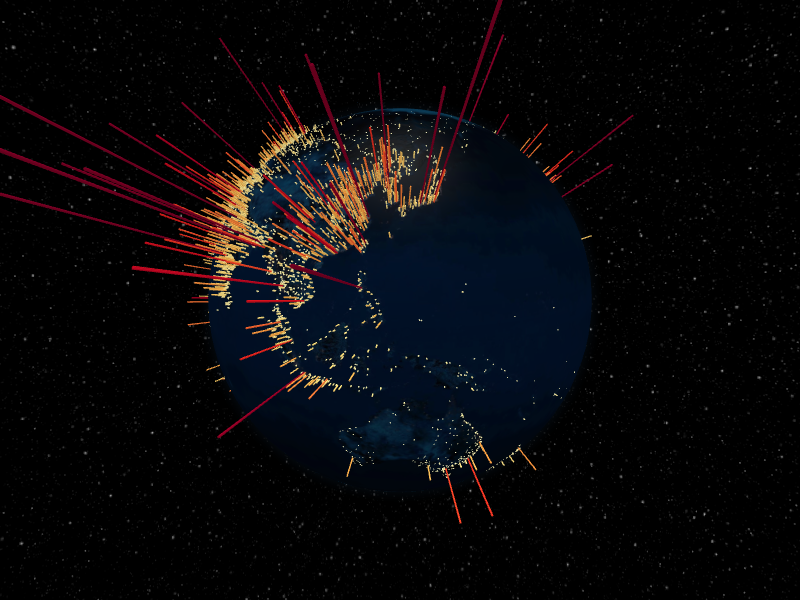
Points, arcs, polygons, paths, heatmaps, hex bins, hexed polygons, tiles, particles, rings, and labels — every layer is driven by Pydantic data models, not raw dicts.
-
Spatial data, built in
Turn GeoDataFrames and MovingPandas trajectories straight into layer data with Pandera-validated helpers that reproject to EPSG:4326 for you.
-
Live updates & callbacks
Update data and accessors after render, and respond to hover/click with Python callbacks that receive each datum and its stable
id. -
Drop-in install
pip install pyglobeglships the prebuilt JupyterLab extension — no separate lab build or extension install step.
Quick start
That renders a bare globe. Add a textured Earth and a points layer:
from IPython.display import display

from pyglobegl import (
    GlobeConfig,
    GlobeLayerConfig,
    GlobeWidget,
    PointDatum,
    PointsLayerConfig,
)

points = [
    PointDatum(lat=0, lng=0, altitude=0.25, color="#ff0000", label="Center"),
    PointDatum(lat=15, lng=-45, altitude=0.12, color="#00ff00", label="West"),
]

config = GlobeConfig(
    globe=GlobeLayerConfig(
        globe_image_url="https://cdn.jsdelivr.net/npm/three-globe/example/img/earth-day.jpg"
    ),
    points=PointsLayerConfig(points_data=points),
)

display(GlobeWidget(config=config))
Design at a glance
- Typed data, not accessors. Layer data are Pydantic models (
PointDatum,ArcDatum,PolygonDatum, …). Dynamic accessor remapping and string field-name accessors are intentionally not exposed; per-datum values come from model field names. - globe.gl defaults, mirrored. Omitted fields fall back to globe.gl's own defaults, so partial configs still render predictably.
- Numbers stay numbers. Numeric fields reject string values to catch mistakes early.
Next steps
-
pip or uv, plus the optional GeoPandas and MovingPandas extras.
-
A textured Earth with a points layer in under a minute.
-
One focused page per globe.gl layer, each with a runnable example.
-
What pyglobegl supports today and where it is headed.